The Internet Guitar fretboard tool - view and edit Scales and Chords!
The Fretboard Toolbox Update
The Fretboard Toolbox Update
The Note Toggle Widget
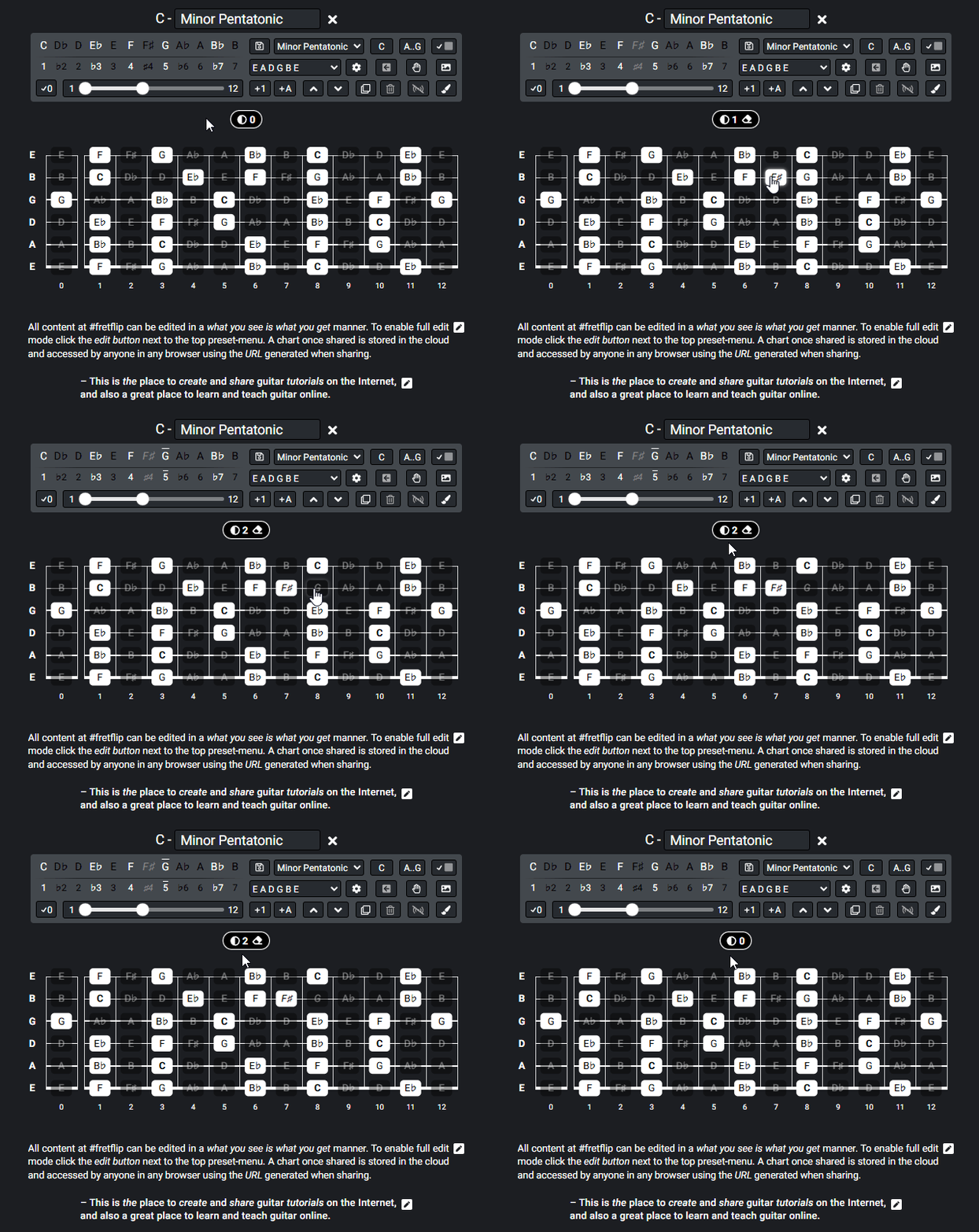
The very core of the fretboard diagram is to show what notes on the fretboard are in, and not in a given scale. Notes in current scale are highlighted in white and to show different scale patterns etc. colors can also be added.
Sometimes you want to toggle the highlight of individual notes on the fretboard independent of current scale. New in this release a widget is added to help show what notes that deviates from current scale on the fretboard. When hovering the widget you will see all notes that deviates from current scale on the fretboard, and you also have a button to remove all those notes with a single click.
Markers - Coloring Notes
Now the Marker pills to color notes work in conjunction with the note-toggle widget. To deactivate coloring click the note toggle widget, and to activate coloring and deactivate note toggle click a marker pill. Another added feature is a checkbox to click to activate markers in edit mode. Multi-color notes is now also supported.
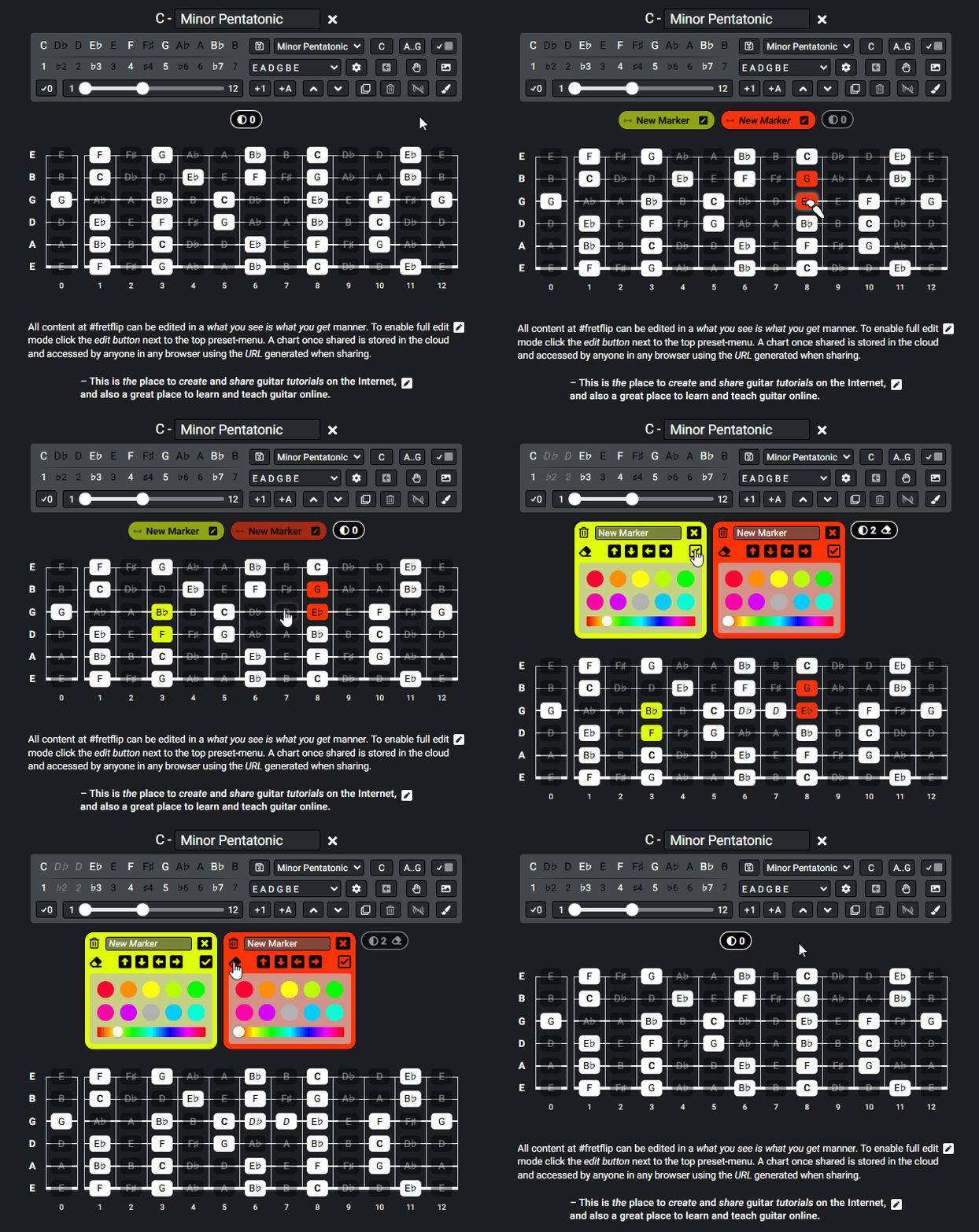
Diagram Image and SVG Export
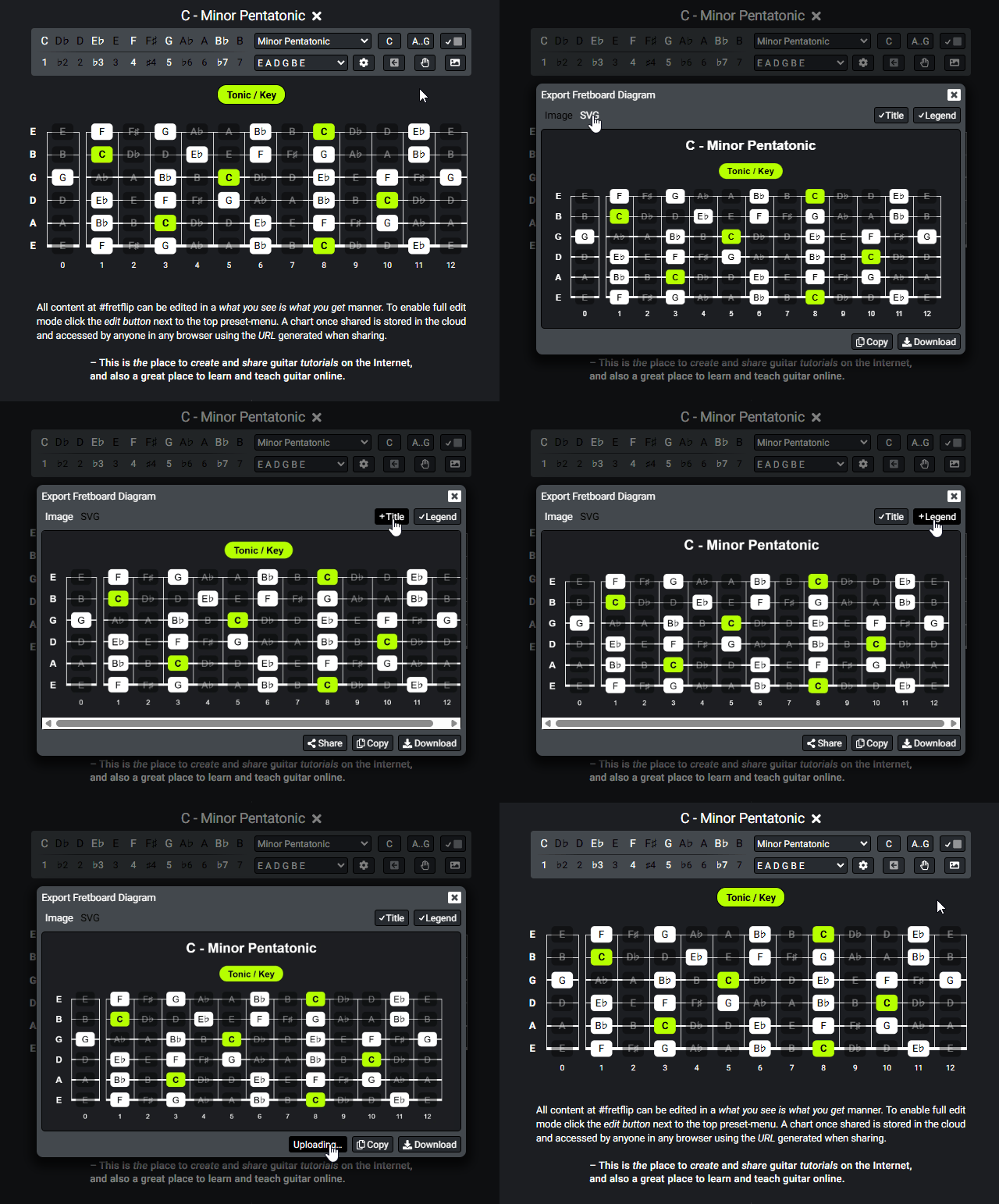
New for this release is also the ability to export a diagram in SVG format. A diagram image is now generated instantly in the browser and stored in the cloud when sharing.
Broadcast - Multi Diagram Edit
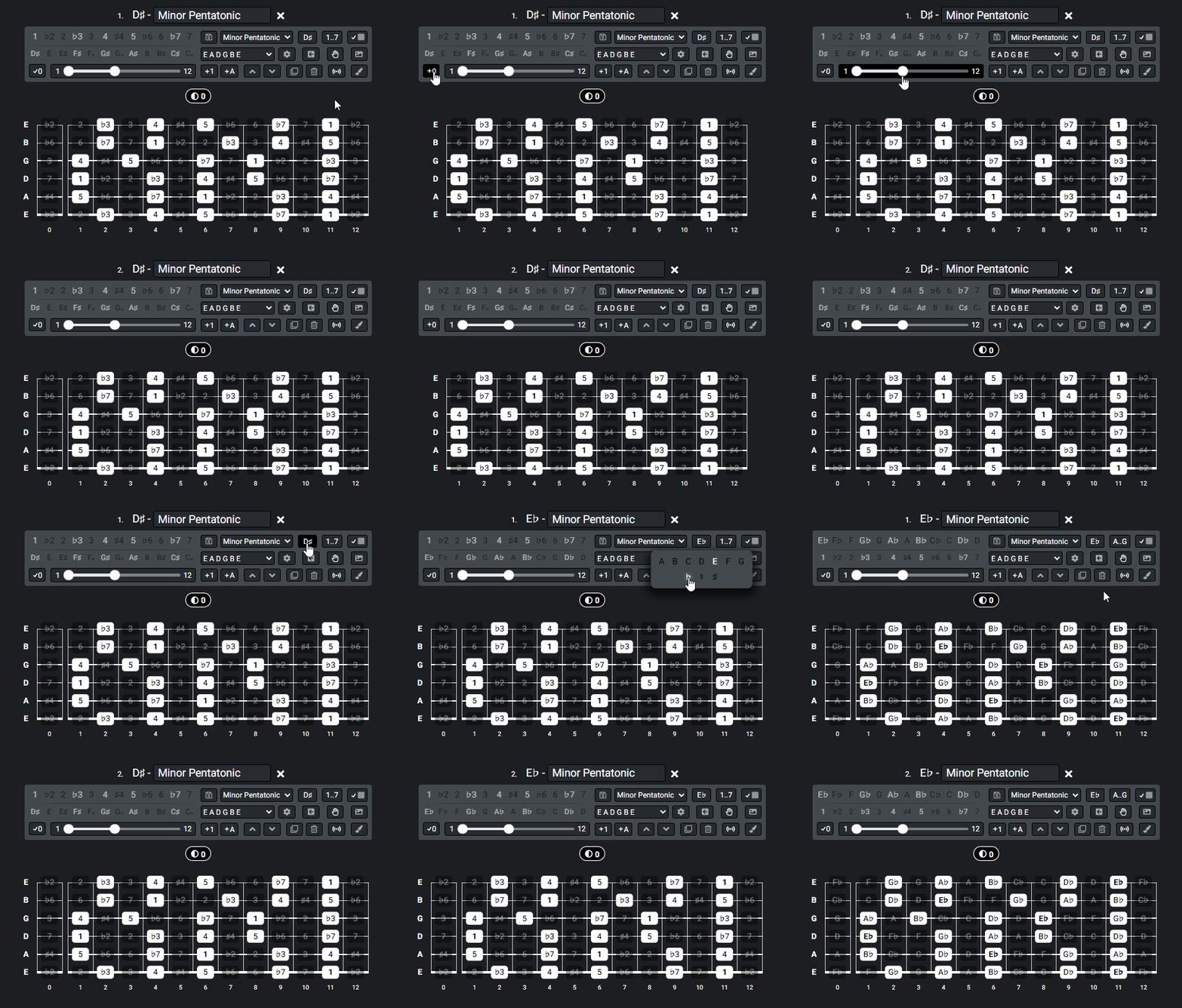
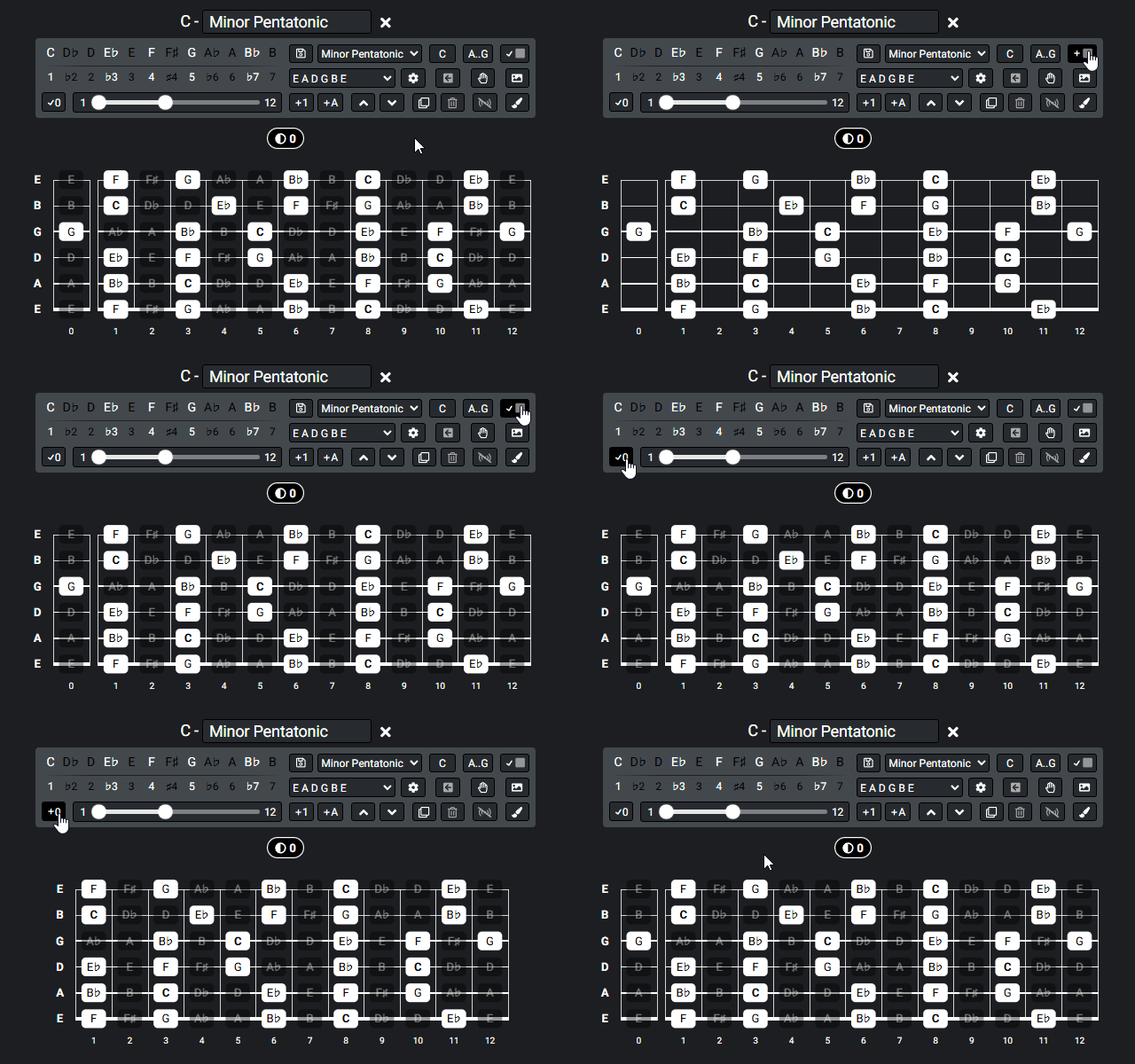
To make multi diagram edits, a broadcast-toggle is introduced. When broadcast mode is activated a set of buttons in the toolbox will now affect all diagrams in the preset chart. See animation below:
And some additional minor changes
- The zero fret toggle, is now in the toolbox instead of the top menu, use broadcast to toggle the zero fret visibility for all diagrams.
- Now a "Ghost note" toggle is added to toggle the visibility of pitch class or scale degree for notes not in current scale.
- The scale name textbox in the toolbox is now replaced by an in place edit label on top of the toolbox.
- Several multi click toggle buttons are replaced with pop over menus.
Give it a try!
Click the edit button in top toolbar to enable full editing features and try the interactive fretboard diagram below:
The full documentation of #fretflip is available here.
Rock on!
The Note Toggle Widget
The very core of the fretboard diagram is to show what notes on the fretboard are in, and not in a given scale. Notes in current scale are highlighted in white and to show different scale patterns etc. colors can also be added.
Sometimes you want to toggle the highlight of individual notes on the fretboard independent of current scale. New in this release a widget is added to help show what notes that deviates from current scale on the fretboard. When hovering the widget you will see all notes that deviates from current scale on the fretboard, and you also have a button to remove all those notes with a single click.
Markers - Coloring Notes
Now the Marker pills to color notes work in conjunction with the note-toggle widget. To deactivate coloring click the note toggle widget, and to activate coloring and deactivate note toggle click a marker pill. Another added feature is a checkbox to click to activate markers in edit mode. Multi-color notes is now also supported.
Diagram Image and SVG Export
New for this release is also the ability to export a diagram in SVG format. A diagram image is now generated instantly in the browser and stored in the cloud when sharing.
Broadcast - Multi Diagram Edit
To make multi diagram edits, a broadcast-toggle is introduced. When broadcast mode is activated a set of buttons in the toolbox will now affect all diagrams in the preset chart. See animation below:
And some additional minor changes
- The zero fret toggle, is now in the toolbox instead of the top menu, use broadcast to toggle the zero fret visibility for all diagrams.
- Now a "Ghost note" toggle is added to toggle the visibility of pitch class or scale degree for notes not in current scale.
- The scale name textbox in the toolbox is now replaced by an in place edit label on top of the toolbox.
- Several multi click toggle buttons are replaced with pop over menus.
Give it a try!
Click the edit button in top toolbar to enable full editing features and try the interactive fretboard diagram below:
The full documentation of #fretflip is available here.